Resume templates
Five layouts for the resumes Radpul writes from your Career Memory. Every new resume starts in Professional, and you can switch at any time: the layout changes, the content stays as it is.
The five templates
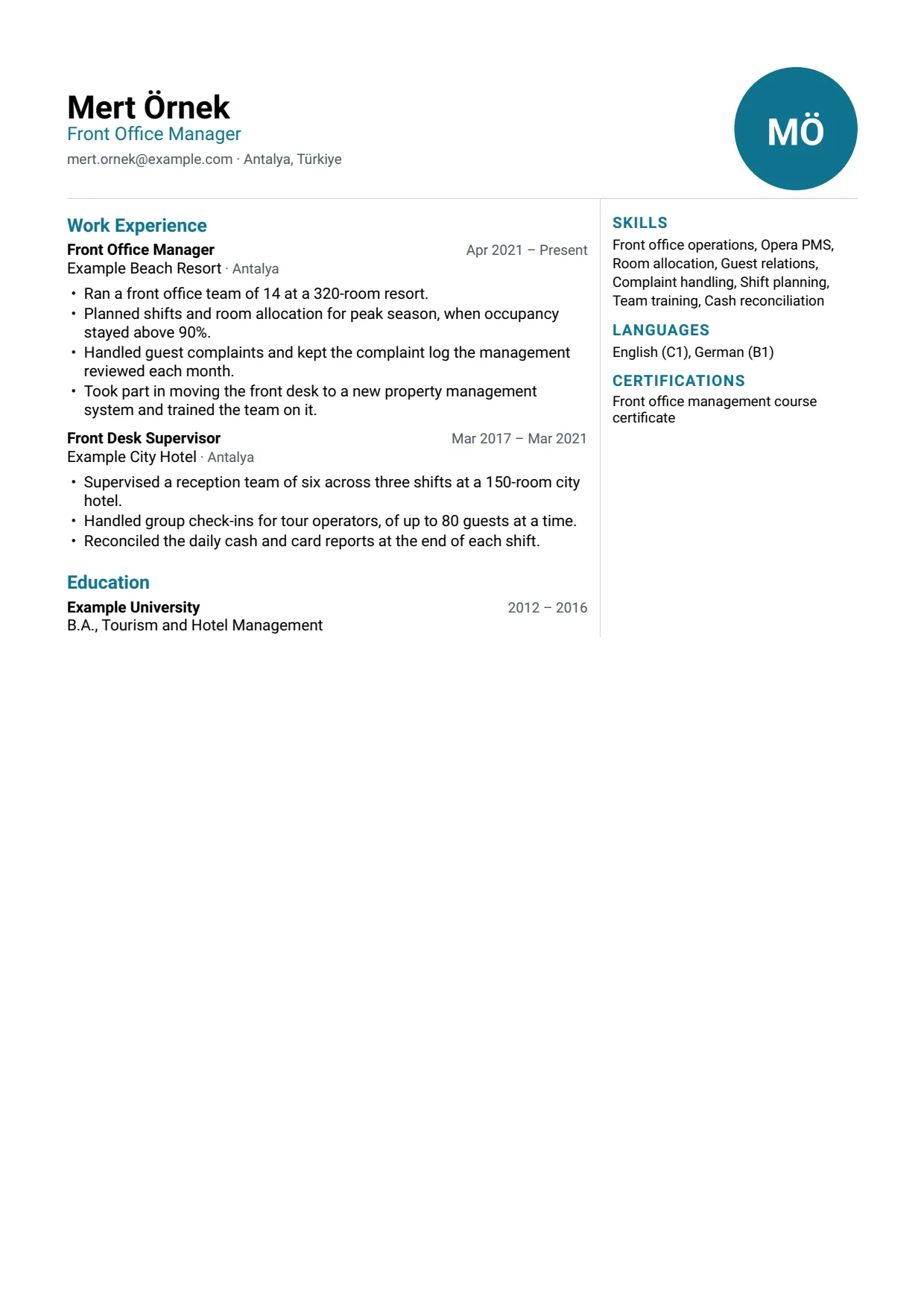
Each preview is the first page of a PDF made by Radpul's own renderer, from a fictional profile. In Two Column, a circle with initials stands where a photo would go.
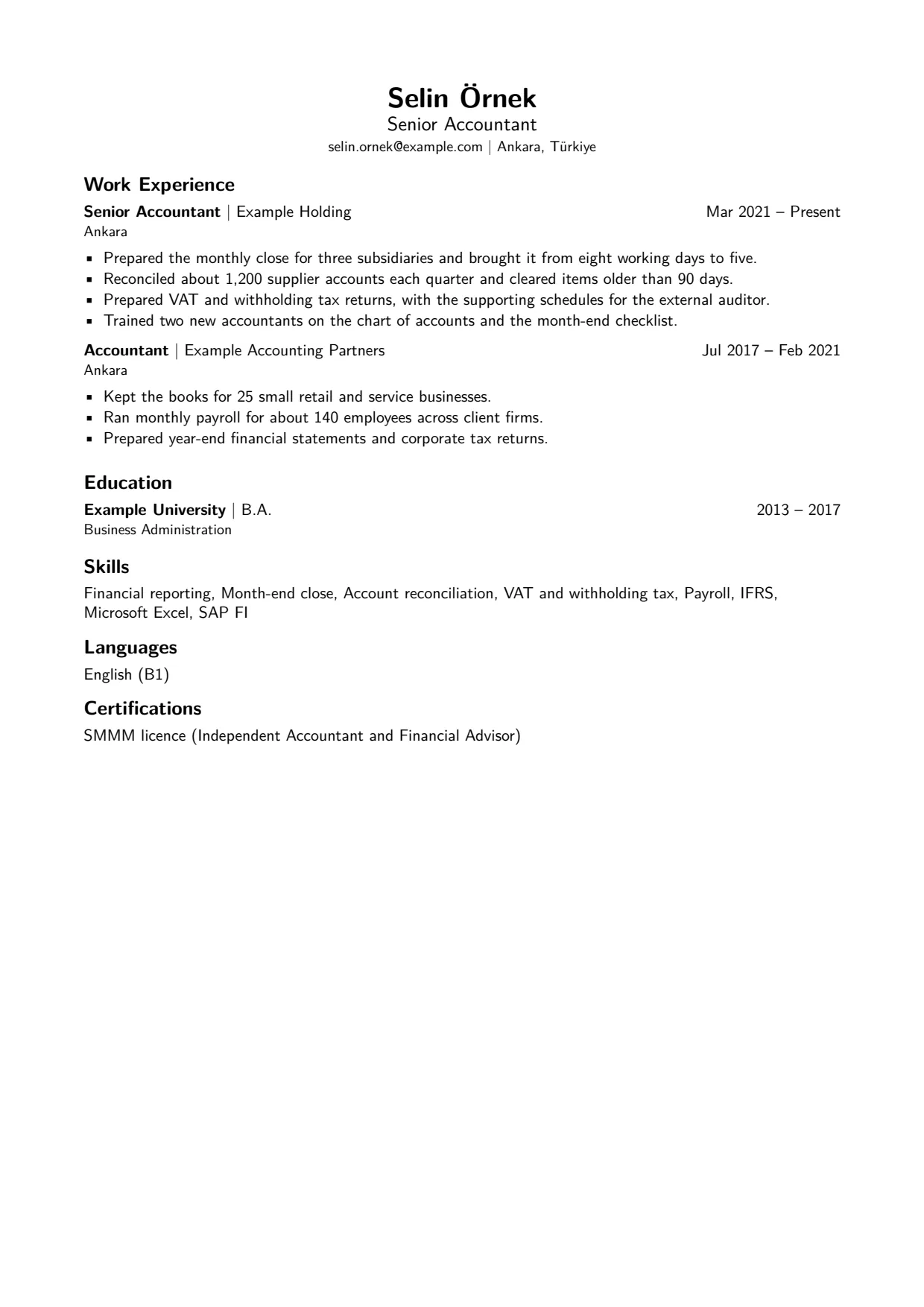
Professional
LM Sans, with your name and contact details centered at the top. A plain choice that suits most applications.
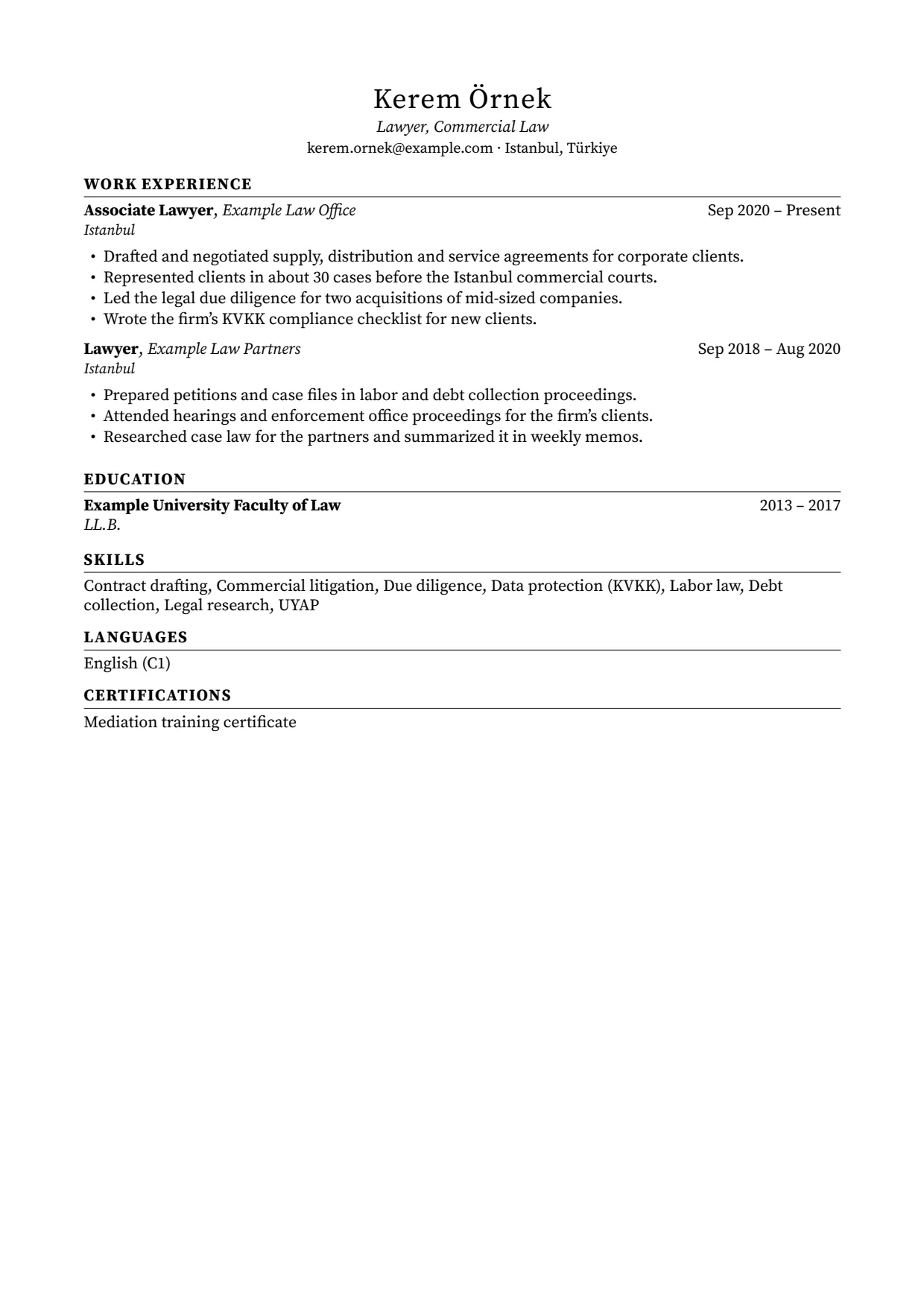
Classic
Source Serif Pro, with letter-spaced section titles and a rule beneath each. Suits academic, legal and corporate roles.
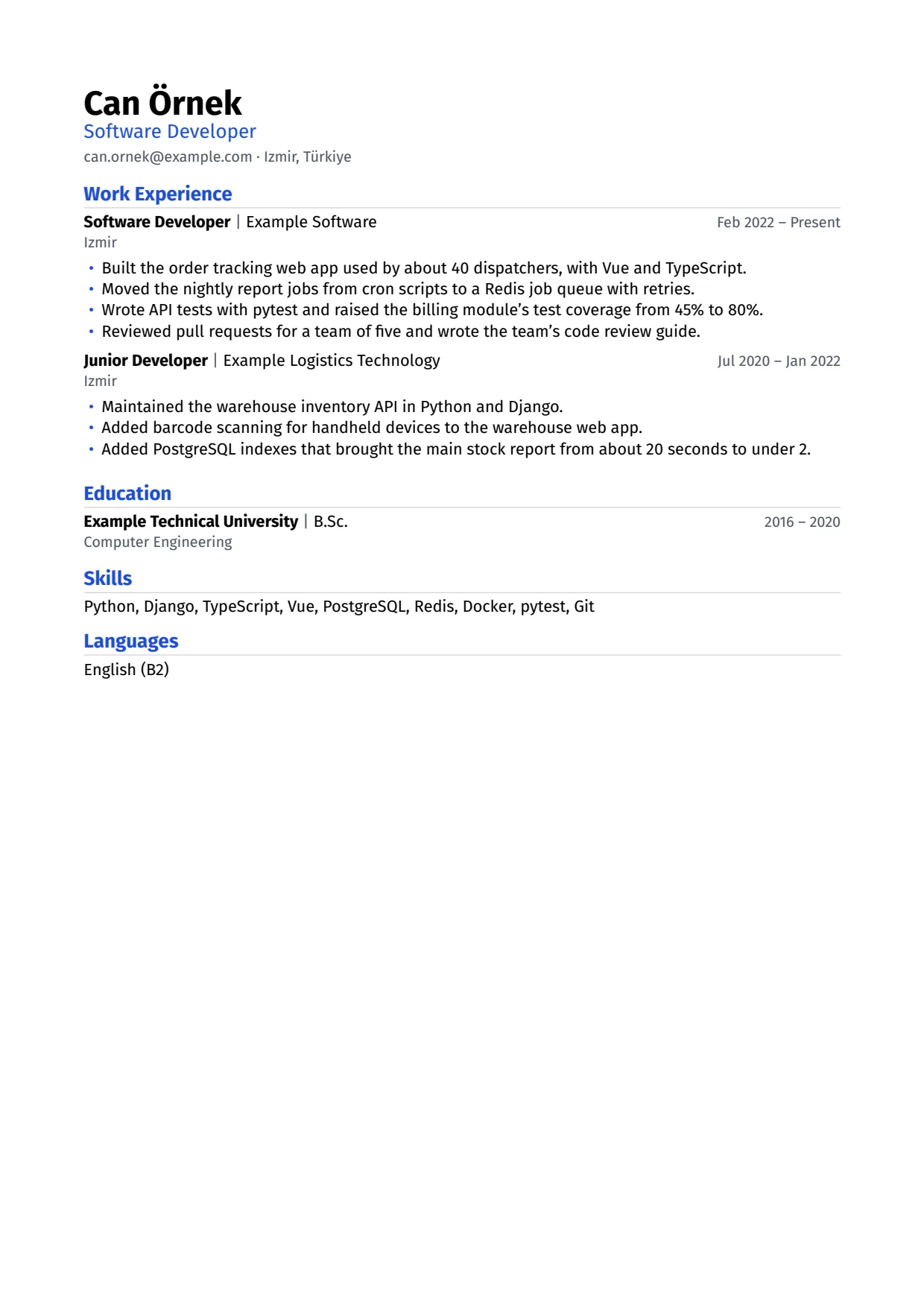
Modern
Fira Sans, a left-aligned header and one blue accent on the headline, section titles and bullet marks. Suits technology and product roles.
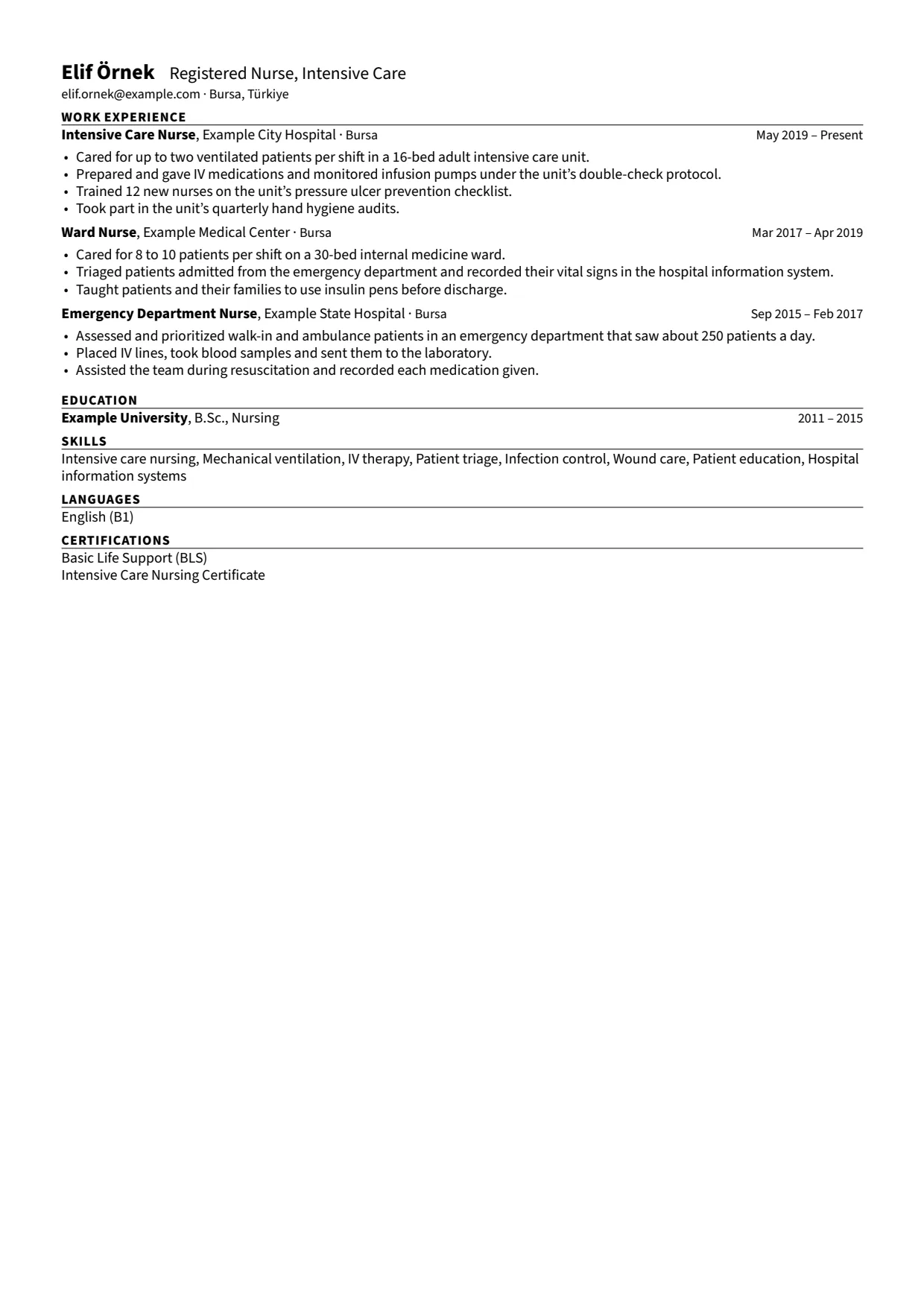
Compact
Source Sans Pro, smaller type and margins, and each entry's role, organization and dates on one line. Suits a long history that should fit on fewer pages.
Two Column
Roboto, with your experience in a wide main column and, unless you choose others, skills, languages, certifications and exams in a right-hand column. Suits a profile with many skills, languages or certifications.
Some applicant tracking systems read two columns less reliably than one, so if in doubt, pick a single-column template. More in the FAQ on applicant tracking systems.
Settings for every template
Each resume keeps its own settings, under Design in Resume Studio, and every change shows on the preview at once.
- Paper
- A4 or US Letter. A4 unless you choose otherwise.
- Photo
- The photo from your Career Memory, to the right of the header, as a portrait, a square or a circle, in three sizes. Or no photo: employers in some countries, the US and the UK among them, expect a resume without one.
- Color
- The template's own, or one of nine: black, slate, navy, blue, teal, green, burgundy, purple or orange. It colors the section titles and the template's other accents.
- Font
- The template's own, or any of the five: LM Sans, Source Serif Pro, Fira Sans, Source Sans Pro or Roboto.
- Text size, margins and line spacing
- Leave them to the template, which tightens them when a page needs to fit, or set your own (margins from 1 to 3 cm), which then stay fixed.
- Length
- One page, two pages or Auto. Radpul adjusts the spacing within the template's limits and tells you when the content does not fit.
- Right-hand column
- In Two Column, choose which of education, skills, languages, certifications, exams, references and your own sections go on the right.
Resume languages
Choose a resume's language when you create it. Its section titles and dates are printed in that language for English, Turkish, German, French, Spanish, Italian, Dutch and Portuguese; other languages get English titles. Your bullets stay in the language you wrote them in. For a resume in another language, make a translation: a linked copy you can edit on its own, marked when its source changes.
What you download
A PDF with real, selectable text, in which no word is split across two lines. And if you want to edit it elsewhere, the LaTeX project it was built from: a ZIP with the .tex source and its fonts.
Start with the CV you already have.
Create an account with your email, import your CV or add your experience yourself, and tailor your first resume to a job posting.
Create your account